You spot a campaign burning budget on vague queries, and the usual drill starts: export a report, filter in a spreadsheet, paste screenshots into a chat, then hope the recommendations match what’s actually in the account. Claude Code gets useful when you remove the “hope” part. With MCP (Model Context Protocol), Claude Code can run real GAQL queries through a tool you control, get typed results back, and base its analysis on the same rows you’d pull in the API.
With a working Claude Code Google Ads setup, you can move faster on the work that usually drags: pinpoint where spend is leaking, answer performance questions on demand, and draft changes as reviewable output you can paste into Google Ads Editor or a changelog. The trick is treating MCP like an API client with a model attached: permissions, logging, quotas, and safe defaults matter as much as prompt quality.
This guide shows how the “mcp server Google Ads” layer actually works, what’s available today, and what breaks in real accounts (rate caps, write scopes, approval workflows). You’ll also see a worked prompt sequence to find wasted spend and generate a clean set of proposed fixes, plus a straight answer on when a managed agent like Roger is a better bet than maintaining your own MCP server.
What Is an MCP Server for Google Ads, and How Does It Work?
An mcp server Google Ads setup is the layer that turns Claude Code tool calls into real Google Ads API requests. Claude Code does not “talk to Google Ads” directly. It sends structured requests (think JSON tool calls) to an MCP server, and the MCP server handles authentication, calls the Google Ads API, then returns a typed response Claude can reason over.
Definition: An MCP (Model Context Protocol) server is a local or hosted service that exposes tools (for example, list campaigns, run GAQL, draft mutations) to an LLM client like Claude Code, then executes those tools against external systems such as the Google Ads API with the right credentials and guardrails.
In practice, the broker does four jobs: it stores or negotiates OAuth, enforces scopes, maps tool names to Google Ads resources, and decides what is read-only versus write-capable.
How Claude Code Calls Google Ads Through MCP
- Auth and identity: The MCP server obtains OAuth tokens for a Google user (or service account where applicable) and pairs them with your Google Ads login-customer-id (MCC) and customer IDs.
- Scopes: OAuth scopes determine what the token can do. Most setups start with read access. Write access requires mutation-capable scopes and stricter handling of refresh tokens.
- Resources and GAQL: The MCP server translates tool calls into Google Ads API concepts, such as Customer, Campaign, AdGroup, AdGroupCriterion, and reports queried via GAQL (Google Ads Query Language).
- Read vs write: Reads typically use GoogleAdsService.SearchStream (or Search) and return rows. Writes use mutate endpoints (for example, CampaignService.MutateCampaigns) and return operation results. A safer pattern is “draft mutations” where the server returns the exact operations it would send, without sending them.
Developers should treat the MCP server as part of their security boundary. It can log queries, redact PII, restrict which customers can be accessed, and block mutation tools by default. Google’s reference for the underlying API behavior lives in the Google Ads API documentation.
Which Google Ads MCP Servers Exist Today (And What to Check Before You Trust One)?
The Google Ads API docs tell you what the API can do. The mcp server Google Ads layer decides what your model can actually touch, and what gets logged, blocked, or leaked. In practice, most people using claude code google ads today pick between (a) a community MCP server that wraps the Google Ads API, or (b) building a thin internal MCP server that calls the Google Ads API directly.
There is no single official “Google Ads MCP server” from Google as of 2026. Treat any third-party MCP server as production infrastructure.
What To Check Before You Trust a Google Ads MCP Server
- Maintenance and ownership: Is the repo active (recent commits, issues answered)? Does it name maintainers and a security contact?
- OAuth flow and token handling: Prefer Authorization Code with PKCE for user sign-in. Avoid servers that ask you to paste refresh tokens into config files. Confirm how tokens are stored (disk, database, secret manager).
- Scopes and account boundaries: Require least-privilege scopes. The server should let you restrict login-customer-id, customer IDs, and MCC subtrees.
- Supported endpoints and GAQL coverage: Read support should include GAQL queries for core resources (campaign, ad_group, ad_group_criterion, search_term_view, customer). If it claims write support, verify it supports mutate operations you need (for example, creating negative keywords) and blocks everything else by default.
- Logging and redaction: You want request logs for auditability. You also want redaction for search terms, final URLs, and any offline conversion identifiers your account might store.
- Sandboxing and tool allowlists: The MCP server should expose a small, explicit tool surface. It should not allow arbitrary HTTP requests from the model process.
- Error behavior: Check how it handles Google Ads API quota errors, partial failures, and paging. Silent truncation makes audits wrong.
If you are evaluating “chatgpt for google ads” style automations, apply the same checklist. The model matters less than the server that holds credentials and decides what actions can run.
For API behavior and quotas, anchor your expectations in the official Google Ads API documentation.
How to Audit, Query, and Draft Google Ads Changes With Claude Code + MCP
Quotas and API behavior only matter if you can reliably pull the right rows. A claude code google ads workflow that works in practice follows a simple pattern: run GAQL queries through your MCP tool, summarize the findings, then ask Claude Code to draft reviewable changes as structured output you can paste into Google Ads Editor or a change log.
- Verify the MCP tools you have: in Claude Code, list available tools and confirm you can run GAQL (read-only) and generate draft mutations (no writes).
- Set the analysis window: pick last 7 or 30 days, and name the conversion action if you have multiple.
- Query performance: pull campaign, ad group, and search term level data.
- Generate an audit: ask for wasted spend patterns with a threshold (for example, cost with zero conversions).
- Draft changes: request negatives, budget shifts, or bid modifiers as a proposal, not an API mutate call.
CLI Prompts for Querying and Auditing Google Ads via MCP
Use prompts that force Claude Code to show its inputs and outputs. This keeps “chatgpt for google ads” style guessing out of your workflow.
# 1) Confirm tools (names vary by server)/ tools list# 2) Run a GAQL query (last 30 days campaign performance)Use the Google Ads MCP tool to run this GAQL and return JSON rows.GAQL:SELECT campaign.id, campaign.name, metrics.cost_micros, metrics.conversions, metrics.conversions_valueFROM campaignWHERE segments.date DURING LAST_30_DAYSORDER BY metrics.cost_micros DESCLIMIT 50# 3) Ask for an audit summary with explicit rulesFrom the returned rows, flag campaigns where:- cost > 200 EUR equivalent in account currency AND conversions = 0- or conversions > 0 AND cost / conversions is 2x higher than the medianReturn a table of findings and the exact rows used.# 4) Draft changes (do not apply)Based on the audit, draft proposed actions as JSON:- negative keyword candidates (from search terms if available)- budget reallocation suggestions (from low to high ROAS campaigns)- any bid modifier ideas by device if device splits show leakageOutput: {action_type, entity, rationale, evidence_rows, proposed_change}Do not call mutate endpoints.If your mcp server google ads exposes a “dry_run” or “draft_operations” tool, use it. You want Claude Code to output operations you can review line by line before any human approval step.
Worked Example: Ask Claude Code to Find Wasted Spend (With Prompts)
A “draft_operations” workflow is where claude code google ads starts paying for itself: you can isolate waste, generate a reviewable fix, then validate it inside the Google Ads UI before anything changes.
This worked example targets wasted spend from irrelevant search terms in Search campaigns (classic broad match and PMax search term bleed). You will (1) pull the worst queries, (2) cluster them into themes, (3) draft negative keywords, and (4) verify impact.
- Query the waste. Ask Claude Code to run GAQL for the last 14 days and return only rows with meaningful spend.
Use the Google Ads MCP tools to run this GAQL for customer_id=1234567890 (last 14 days). Return JSON.SELECT campaign.id, campaign.name, ad_group.id, ad_group.name, search_term_view.search_term, metrics.impressions, metrics.clicks, metrics.cost_micros, metrics.conversions, metrics.conversions_valueFROM search_term_viewWHERE segments.date DURING LAST_14_DAYS AND metrics.clicks >= 20 AND metrics.cost_micros >= 5000000ORDER BY metrics.cost_micros DESCLIMIT 200Expected output: a ranked list of search terms with cost, conversions, and the campaign and ad group that paid for them. Claude should flag obvious mismatches (competitor names, “free”, “jobs”, unrelated product categories) and compute cost per conversion where conversions > 0.
- Turn rows into an action list. Have Claude propose negatives as draft operations, scoped to the right level (campaign vs ad group), and include match type rationale.
From the GAQL results, group search terms into themes.For each theme, propose negative keywords with match type (exact/phrase).Output:1) a table-like JSON array with {negative, match_type, scope, campaign_id, ad_group_id, example_terms, blocked_spend_micros}2) MCP draft_operations payloads only, do not apply mutations.Expected output: 10 to 50 negative candidates, each tied to where it should live. Claude should avoid negatives that would block core intent (for example, “pricing” if you sell a paid product).
- Validate in Google Ads before approval. In the UI, open Insights and reports (Search terms), filter for one theme, then add a negative keyword list or campaign negatives. Re-run the same GAQL for the next 7 days and confirm: spend on those terms drops, while total conversions and impression share stay stable.
If you are comparing “chatgpt for google ads” to Claude Code, the difference is simple: with MCP, the model can cite the exact GAQL rows it used, and you can reproduce the query on demand.
What Are the Real Limits: Rate Caps, Write Permissions, and Approval Workflows?
Reproducible GAQL rows help, but claude code google ads workflows still fail in predictable ways once you hit quotas, permissions, and real-world review steps. Treat MCP as an API client with a model attached, then design guardrails the same way you would for any Google Ads integration.
Failure Modes You Will Actually See
- Quota and rate errors: Google Ads API returns quota-related errors when you run too many report queries or heavy segments. Your MCP server should back off, retry with jitter, and fall back from SearchStream to paged Search where appropriate. If it silently drops rows, your audit becomes fiction.
- Partial data and attribution gaps: Some views (for example, search_term_view) have eligibility limits and can miss traffic. Conversion lag means LAST_7_DAYS can undercount. Force prompts to include the date window, conversion action name, and a “data freshness” note.
- MCC hierarchy mistakes: The wrong login-customer-id yields confusing “customer not enabled” or empty results. Lock the allowed customer IDs in config, and require Claude Code to echo the customer_id it queried.
- Mutation safety issues: Writes can succeed partially. The Google Ads API supports partial failure behavior in mutate calls, so you can end up with half-applied negatives or budgets if you do not handle operation results line by line.
These problems show up with any model, including “chatgpt for google ads” setups. The model does not fix API physics.
Guardrails that keep changes reviewable and reversible:
- Default to read-only tools: expose GAQL and “draft_operations” only. Block mutate endpoints in the MCP allowlist.
- Require evidence with every recommendation: attach the exact GAQL query and the row IDs used (campaign.id, ad_group.id, criterion_id).
- Stage changes outside the API: output Google Ads Editor-ready CSV (negatives, bid modifiers) or JSON operations for a human to paste and review.
- Use two-person approval for writes: keep OAuth tokens for mutation scopes separate from read tokens, and require a second reviewer before any token with write access is used.
- Log everything: store prompts, GAQL, and proposed operations. If you work with client data in Belgium, keep logs and tokens in EU storage and enforce retention limits.
Managed agents like Roger bake in several of these controls (read-only by default, approval gates, EU data residency). If you build your own mcp server google ads stack, you need to implement them explicitly.
When Roger Beats Rolling Your Own MCP Setup
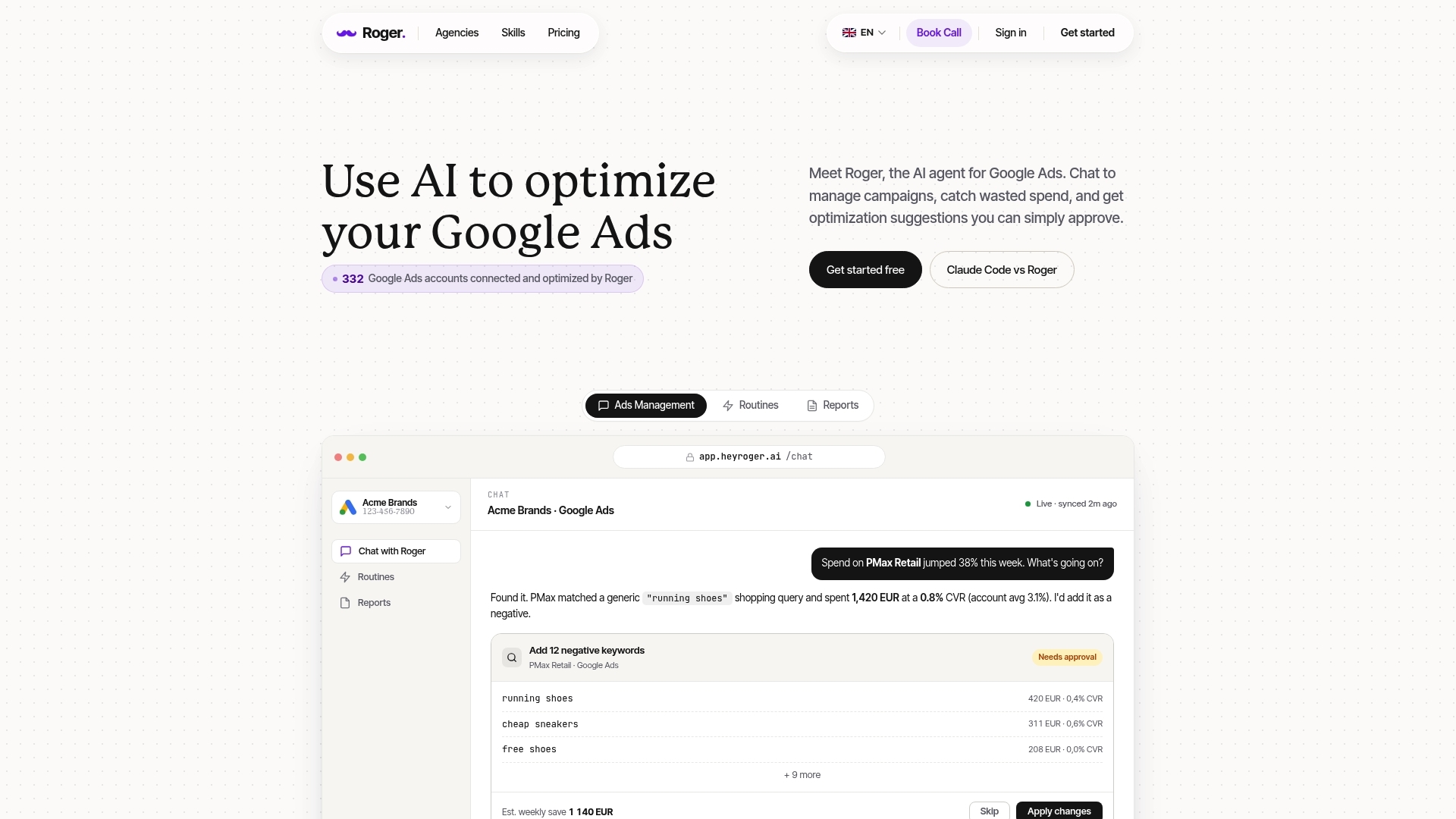
If you built a claude code google ads setup with an MCP server, you already felt the tradeoff: you get flexible querying and draft changes, then you spend time building guardrails, logs, and approvals so nobody ships a bad mutation at 2 a.m. That is where a managed agent like Roger can beat DIY, even if you are comfortable with CLIs and the Google Ads API.
| Decision Factor | DIY Claude Code or ChatGPT for Google Ads + MCP | Roger (Managed Agent) |
|---|---|---|
| Setup Time | Hours to days: OAuth client, developer token, MCP server, tool allowlists, environments | Minutes: connect account, set guardrails |
| Safety And Approvals | You implement draft-only patterns, review gates, and change logs | Read-only by default, changes require approval |
| Monitoring Routines | You build schedulers, anomaly checks, and alerting (plus on-call ownership) | 24/7 monitoring with anomaly and spike alerts |
| Reporting | You generate your own outputs (docs, slides, dashboards) and keep them consistent | Client-ready weekly/monthly reports, export to PDF or share via link |
| EU/GDPR Handling | You design data minimization, retention, and residency controls | GDPR-aligned EU data residency, data deleted within 30 days, one-click revoke |
DIY wins when you need custom logic that a product will not support. Examples: a bespoke GAQL library for your agency naming conventions, a GitOps workflow that stores draft operations in pull requests, or a private “mcp server Google Ads” that runs inside your own VPC with your exact logging stack.
Roger wins when your bottleneck is repeatability and operational risk. Most teams do the same work every week: find wasted spend, draft negatives, explain shifts in CPA, and catch budget spikes before they burn a weekend. A managed agent gives you that routine without turning your “chatgpt for google ads” experiment into a permanent platform you must secure, monitor, and maintain.
If you are unsure, run one controlled test: keep your DIY MCP workflow for ad hoc investigations, then use Roger for monitoring and approval-based drafts on a single account for two weeks. If it reduces review time and catches issues earlier, expand it. If it does not, you learned exactly which automations you should build yourself.
