
Turn on broad match, switch to Smart Bidding, launch Performance Max, and your account can look “better” within days—higher conversion volume, nicer ROAS, fewer manual tasks. Then you check the business numbers and realize the spend drifted into brand queries, low-intent searches, or placements you would never have picked by hand.
That’s the 2026 reality of AI in Google Ads: Google makes more decisions than you do, faster than you can review them. The job shifts from tweaking keywords and bids to controlling inputs—conversion definitions, data quality, exclusions, budgets, creative rules—and proving what actually changed with experiments.
This article is a field guide for that shift. It explains what “AI” inside Google Ads really controls now, how bidding systems decide who sees your ads, where automation tends to help (and where it quietly burns budget), which KPIs break first, and how to roll out more automation over 30 days without losing the ability to intervene.
You’ll also see why approval-only workflows matter when the platform moves daily, and how tools like Roger fit as an always-on operator for audits, monitoring, and draft changes—without letting automation push live updates unchecked.
What Does “AI” Mean Inside Google Ads Now?
“AI” in Google Ads now means the platform makes more decisions for you, then asks you to trust the outcome. It chooses bids, expands targeting, assembles creatives, and models conversions when tracking is incomplete. If you manage accounts day to day, you need to know which surfaces are actually automated, because each one changes what “control” even looks like.
- Bidding AI: Smart Bidding sets bids per auction to hit a target (tCPA, tROAS) or maximize volume/value within a budget.
- Targeting AI: systems expand who sees ads via signals, audience expansion, and query matching.
- Creative AI: assets get mixed, matched, and rewritten across Responsive Search Ads, Performance Max, and Demand Gen.
- Measurement AI: conversions get modeled and attributed when user-level data is missing.
Where The “AI” Actually Lives In Google Ads
Bidding is the most mature layer. Smart Bidding uses auction-time signals (device, location intent, time, query context, audience signals, and many others) and your own conversion history to set a bid for each impression. You do not tell it which signal matters. You tell it the goal and constraints: conversion action(s), value rules, target, budget, and sometimes seasonality adjustments.
Targeting AI shows up in how Google interprets your inputs. Broad match, keywordless formats (Performance Max, Demand Gen), and audience expansion all shift targeting from explicit selection to probabilistic matching. The platform uses your landing pages, assets, feeds, and past conversion patterns to find “similar” users and queries. This is why query control and exclusions matter more than micro-managing bids.
Creative AI is less about generating art and more about assembling variants at scale. Responsive Search Ads rotate headlines and descriptions, then favor combinations that drive the objective. Performance Max mixes text, images, video, and product feed items across Search, YouTube, Discover, Gmail, and Display. The practical change: you manage inputs (asset quality, coverage, messaging angles, feed attributes) and judge outputs with asset reports and real conversion quality, not CTR alone.
Measurement AI fills gaps. When consent, browser limits, or tagging issues reduce observable conversions, Google uses conversion modeling and data-driven attribution (when eligible) to estimate outcomes. That can stabilize reporting, but it can also hide tracking regressions. Treat modeled conversion swings as a prompt to audit Google Tag Manager, Google Analytics 4, and Enhanced Conversions setup.
This is where approval-only automation helps: tools like Roger can draft negatives, budget caps, and monitoring routines against these AI surfaces, then let a human decide what ships.
How Do AI Bidding Systems Decide Who Sees Your Ads?
Guardrails like budget caps and negative keywords exist because Smart Bidding decides auctions faster than any human can review. Your ads show when Google’s bidding system predicts your click has a high chance of producing a conversion at an acceptable cost.
In Google Ads, Smart Bidding (Target CPA, Target ROAS, Maximize Conversions, Maximize Conversion Value) sets a bid for each auction. That bid influences whether you enter the auction, where you rank, and how often you win. The system does not “pick people” in the way social ads do; it bids on individual auctions using signals available at query time.
- Conversion signals: which conversion actions you count, their values, and which campaigns historically drove them.
- Query and intent signals: the search term, match type behavior, and inferred intent from similar queries.
- Context signals: device, location, time of day, language, browser, and other auction-time signals Google documents for Smart Bidding.
- Audience signals: your first-party lists (Customer Match) and Google audiences used as signals, even when you do not “target” them directly.
- Creative and landing page signals: ad strength and asset performance in responsive formats, plus landing page relevance and speed.
The feedback loop is simple: you set a goal (CPA or ROAS), Google bids to hit it, conversions come back through tags or imports, then the model updates. The catch is that the model learns what you measure, not what you mean.
Why More Data Can Make Bidding Worse
More data helps only when it is clean, stable, and aligned with profit. Extra conversions can poison the model when they mix high-intent and low-intent actions into one optimization target.
Common failure modes look like this:
- Wrong conversion definition: counting “page_view” or “begin checkout” alongside purchases trains the system to buy cheap, low-quality traffic.
- Value distortion: importing revenue without refunds, cancellations, or margin differences pushes Target ROAS to favor the wrong products.
- Channel and campaign cannibalization: brand queries and remarketing conversions flood the signal stream, so Smart Bidding learns to protect easy wins instead of finding new demand.
- Delayed feedback: long sales cycles (common in B2B lead gen) create conversion lag, so the model overweights short-term signals like CTR and on-site micro-actions.
- Tracking drift: changes in consent rates, tagging, or GA4 to Google Ads imports shift conversion volumes, so bids swing even if real demand stays flat.
Google’s own Smart Bidding documentation makes the dependency clear: the system optimizes to the conversion actions and values you provide. If you want better auction decisions, start by tightening conversion rules, segmenting brand, and auditing search terms and value inputs before you “add more data.”
Where AI Is Actually Lifting Performance (And Where It Isn’t)
Smart Bidding optimizes to whatever you label as a “conversion,” so performance gains show up fastest in areas where Google can observe lots of clean feedback. The wins are real, but they cluster in predictable places. So do the disappointments.
Use Cases That Usually Improve CPA or ROAS
- High-volume lead gen with stable intent (insurance quotes, B2B demos, home services). tCPA works when you feed it a single primary conversion (qualified lead, booked call) and keep form spam out with reCAPTCHA, validation, or offline qualification imports.
- Shopping and retail with strong feed hygiene. Performance Max tends to lift ROAS when product titles, GTINs, price, and availability stay accurate in Google Merchant Center, and when you segment by margin or category so one hero SKU does not subsidize the rest.
- Remarketing and customer lists. Customer Match and first-party audiences often outperform cold targeting because the signal is explicit. The lift is obvious when you separate returning customers from prospecting and apply value rules (new customer value vs repeat purchase).
- Creative iteration at scale in Responsive Search Ads and Performance Max. The systems learn faster when you supply distinct angles (price, proof, use case, objection handling) and refresh assets on a schedule, then validate with Google Ads Experiments.
In these scenarios, “more automation” works because the algorithm sees enough conversions per week and your inputs stay consistent.
Use Cases That Commonly Disappoint
- Low-conversion accounts (a few conversions per month). Smart Bidding has too little feedback, so it chases noise and swings bids. Start with Maximize Clicks or manual CPC with tight query control, then move to Smart Bidding after volume improves.
- Broad match without query guardrails. You get “growth,” but it often comes from irrelevant search terms and brand leakage. Watch the Search terms report and add negatives aggressively. Segment brand into its own campaign so you can see inflation.
- Performance Max as a black box for strict compliance categories or narrow B2B niches. If you cannot exclude placements, control messaging, or separate prospecting from existing demand, you can pay for low-quality inventory and mislabeled “incremental” conversions.
- Modeled conversion spikes after tracking changes. A sudden ROAS jump can mean improved modeling, or broken tagging. Audit Google Tag Manager, Enhanced Conversions, and GA4 events before you raise budgets.
If you want the upside without the drift, pair automation with routines that catch waste early. Roger can draft negative keyword lists, monitor spend spikes, and flag brand inflation patterns for approval before they become your new baseline.
The New Skill Stack for Google Ads Managers in 2026
When automation moves fast, the manager’s value shifts to input quality and control. In 2026, strong Google Ads operators spend less time “optimizing” inside the UI and more time setting constraints, cleaning data, and running experiments that prove what changed.
The skill stack that matters now is practical and repeatable:
- Prompting as operations: You need prompts that produce usable outputs, not clever text. Good prompts specify the campaign type (Search, Performance Max), the conversion action, the markets, and the exclusions you will enforce. Example: “Draft a negative keyword list for a Belgian B2B IT services account, exclude job seekers and training intent, based on last 30 days search terms.” Tools like Roger help here because they can draft changes directly from account data, then route them for approval.
- Feed quality and taxonomy: Performance Max lives and dies on product data. You need clean titles, accurate GTINs, consistent product_type, and correct pricing in Google Merchant Center. If you run local inventory or promotions, you also need disciplined supplemental feeds and scheduled updates. Feed work often beats any bid tweak.
- Experiment design: Treat Google Ads Experiments as your control room. Define one primary KPI (for example, purchase CPA or qualified lead rate) and one guardrail metric (brand share of spend, search term relevance rate). Keep tests isolated: one variable, fixed budgets, and a pre-set evaluation window. Google’s own documentation on Google Ads Experiments is the reference point your stakeholders accept.
- Creative iteration with rules: Responsive Search Ads and Performance Max reward coverage and freshness. Build a message matrix by intent (problem-aware vs product-aware) and map it to landing pages. Use brand rules, legal disclaimers, and prohibited claims as hard constraints, then rotate variants weekly.
- Guardrails engineering: You need a system for negatives, brand separation, placement exclusions, location hygiene, and naming conventions. Write these rules down and apply them across accounts. Monitoring tools can enforce the routine, but you still own the policy.
What To Stop Doing
Stop micro-managing bids and keyword match types as your main performance lever. Stop accepting “total conversions” as truth without auditing conversion actions, Enhanced Conversions, and GA4 imports. Stop shipping changes without a hypothesis and a rollback plan. In an AI-first account, discipline beats activity.
Which KPIs Break First When You Turn On More Automation?
Automation fails quietly. The account can look “better” in-platform while unit economics get worse in the business. The first KPIs to break are the ones Smart Bidding can inflate with easy conversions, loose attribution, or delayed feedback.
- Brand inflation: ROAS and CPA improve because spend shifts to branded queries and existing demand.
- Conversion lag: bids optimize to short-term proxies because real outcomes arrive days or weeks later.
- Attribution drift: Google Ads credits itself more conversions as consent and modeling increase.
- CAC creep: customer acquisition cost rises slowly while blended metrics hide it.
How To Detect The Four Failures Early
Brand inflation shows up as “free” efficiency. Watch the ratio of brand to non-brand spend and conversions. If brand spend share rises while total revenue stays flat, Smart Bidding found an easier path, not more demand. Separate brand into its own Search campaign, keep brand negatives out of non-brand, and compare non-brand CPA week over week. In Performance Max, use brand exclusions where eligible and review Search terms insights for brand leakage.
Conversion lag breaks tCPA and tROAS first in B2B. When the sales cycle runs 14 to 60 days, Google Ads optimizes to what it can see quickly: form fills, short calls, low-intent leads. Detect this by tracking “conversion time” distributions in Google Ads and by importing offline milestones (qualified lead, SQL, closed-won) via Offline Conversion Import or enhanced leads in a CRM like Salesforce or HubSpot. If qualified rate drops while CPL improves, the model learned the wrong lesson.
Attribution drift looks like a measurement win. It often follows changes to consent banners, GA4 imports, or Enhanced Conversions. Detect it by running a weekly reconciliation: Google Ads conversions versus GA4 key events and backend orders or leads. Large divergence after no business change is a tracking or modeling shift. Keep primary conversions tight and demote noisy events to secondary.
CAC creep hides inside blended ROAS. You see it when new-customer volume stalls but spend keeps rising. Track new versus returning customers using GA4 audiences, Customer Match lists, or a “new customer” conversion value rule. If returning-customer conversions rise while first purchases fall, automation is buying the bottom of the funnel.
Teams that catch these early run fixed monitoring routines. Roger can automate those checks, flag anomalies (brand share spikes, conversion definition changes, sudden modeled jumps), and draft corrective actions for approval.
A Contrarian Take: More AI Often Means More Waste—Unless You Add Guardrails
Most Google Ads “AI waste” is predictable. Automation expands reach faster than your review cadence, then it quietly reallocates budget toward whatever looks easiest to convert in-platform. If you do not add constraints, Smart Bidding and Performance Max will happily buy brand queries, low-intent searches, and cheap placements that hit your conversion definition.
Guardrails work because they narrow the action space of the model. You still get auction-time bidding and creative assembly, but inside boundaries you can explain to a client, a CFO, or a compliance team.
Guardrails That Actually Reduce Waste
- Negative keyword systems, not one-off lists: Broad match plus Smart Bidding needs ongoing negatives. Build “always negative” themes (jobs, free, DIY, definition, template, training) and refresh from the Search terms report on a fixed schedule. For Performance Max, pair account-level negatives (when available in your account) with separate brand campaigns so brand demand does not blur results.
- Query controls via campaign structure: Split brand, generic, and competitor intent into different campaigns with different targets and budgets. This is the cleanest way to see brand inflation and stop it from subsidizing prospecting.
- Budget caps and spend circuit breakers: Set budgets where failure is survivable. Add rules for sudden spend spikes, for example, a daily spend increase threshold that triggers a review before the system “learns” a new baseline.
- Exclusions that match business reality: Use location exclusions for areas you cannot serve, and schedule exclusions when you cannot answer leads. In Performance Max, maintain placement exclusions and content suitability settings, then audit where impressions accumulate.
- Naming hygiene and labeling: Automation makes accounts harder to audit. Consistent naming, labels (Brand, Prospecting, Retention), and shared negative lists make it possible to spot drift in minutes, not hours.
The contrarian point is simple: more automation increases the penalty for sloppy account hygiene. You can “win” in-platform while losing incrementality, margin, or lead quality.
This is where approval-only automation earns its keep. Roger can draft negatives from recent search terms, flag brand share of spend spikes, and propose budget caps or exclusions, then leave the final decision to the operator before Google’s systems convert a temporary anomaly into a permanent bidding pattern.
A 30-Day Playbook to Adopt AI Without Losing Control
Approval-only workflows work best when you treat automation like a rollout, not a switch. This 30-day plan keeps Smart Bidding, broad match, and Performance Max inside clear constraints while you prove incrementality with experiments.
Week-By-Week Rollout (30 Days)
- Days 1-7: Lock Measurement And Define “Good”
- Pick one primary conversion per business goal (purchase, qualified lead). Move micro-actions to secondary.
- Audit tracking in Google Tag Manager, GA4, and Google Ads (Enhanced Conversions, consent mode status, duplicate events).
- Create brand and non-brand separation in Search. Add brand negatives to non-brand campaigns.
- Set reporting baselines: brand share of spend, non-brand CPA/ROAS, search term relevance rate (manual sample), new vs returning customers if available.
- Days 8-14: Add Guardrails Before More Automation
- Build negative keyword rules: job seekers (“jobs”, “vacature”), training intent (“course”, “opleiding”), support intent (“phone number”, “login”), competitor terms if policy allows.
- Apply geo hygiene (tight location settings, exclude irrelevant regions) and schedule hygiene (exclude hours you cannot service leads).
- For Performance Max, clean Merchant Center feed basics (titles, GTINs, price, availability) and add account-level exclusions you can control (final URL expansion off if it causes drift, URL exclusions where needed).
- Set budget caps per campaign and a daily spend spike alert threshold.
- Days 15-21: Run One Controlled Automation Test
- Use Google Ads Experiments to test one change: broad match expansion, tCPA vs Maximize Conversions, or Performance Max asset refresh cadence.
- Freeze everything else (budgets, landing pages, conversion actions) during the test window.
- Decision rule: stop the test early if brand share of spend rises sharply or if non-brand CPA worsens beyond your preset tolerance.
- Days 22-30: Scale What Worked, Standardize Monitoring
- Promote the winner, then scale budgets in steps, not jumps (for example, weekly increases).
- Codify a weekly routine: search terms review, brand leakage check, conversion action audit, placement and URL review for automated campaigns.
- Create a rollback kit: saved negative lists, previous bid strategy settings, and a note of what changed and when.
- If you use Roger, set it to draft negatives and exclusions from recent search terms and to flag brand share spikes, then keep changes approval-only.
How Roger Fits Into an AI-First Google Ads Workflow
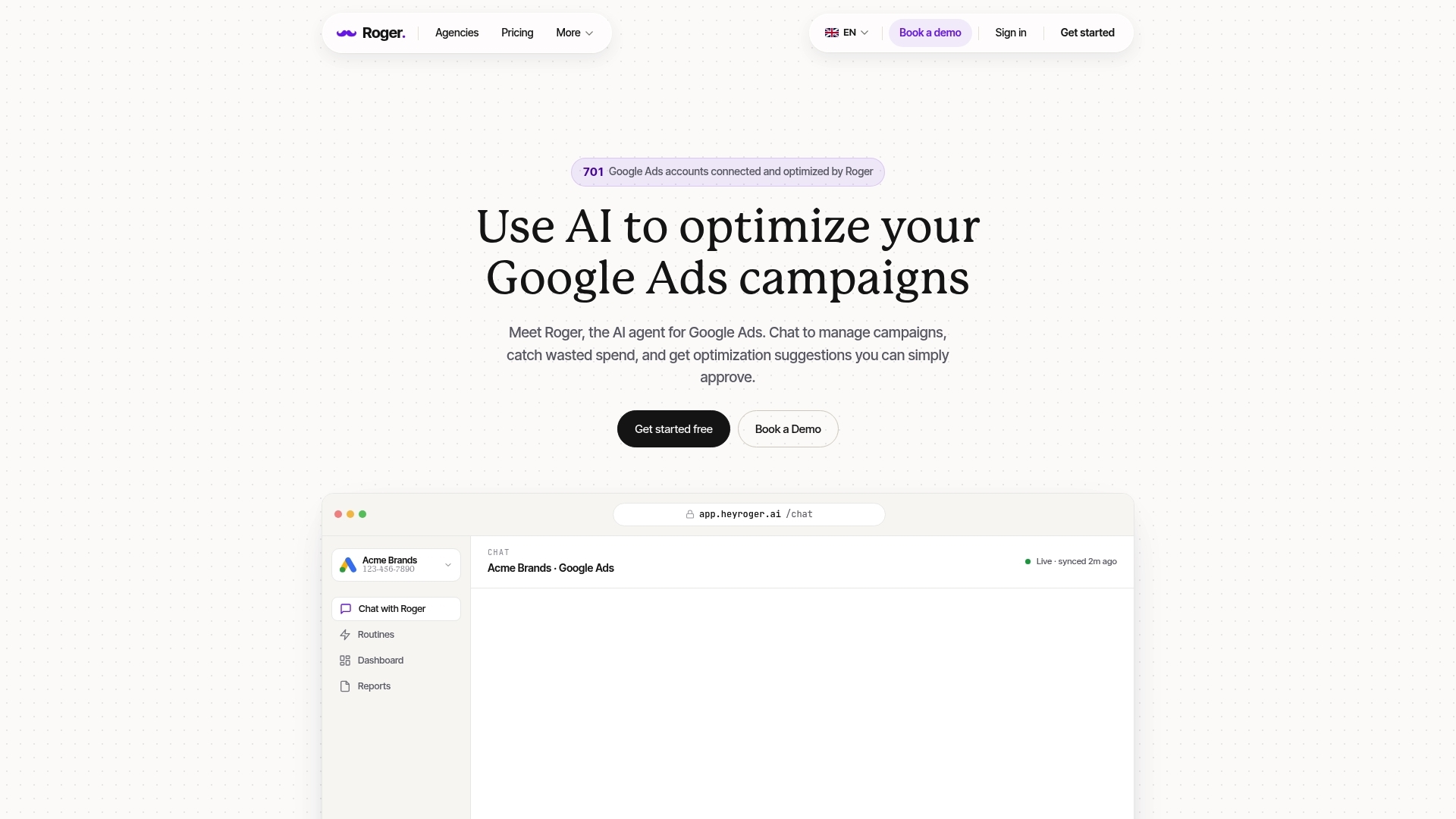
Approval-only workflows live or die on speed. If your audits run monthly and your search terms review runs weekly, Smart Bidding and Performance Max will find a new way to waste money in between. Roger fits into an AI-first workflow as the “always-on operator” that runs checks, drafts fixes, and packages results, while keeping your account safe with read-only by default and explicit approvals for changes.
Where Roger Saves Time and Spend
- Audits that focus on waste patterns: Roger scans for issues that automation amplifies, like brand leakage into non-brand, irrelevant query themes, mis-scoped locations, and conversion actions that train bidding on low-intent events. The output is a short list of fixes you can approve or reject.
- Monitoring routines you would not run daily: Roger watches for spend spikes, CPA/ROAS swings, sudden conversion volume changes, and budget reallocations that often happen after you change targets or assets. This matters most in accounts running broad match plus Smart Bidding or Performance Max, where drift can become the new baseline fast.
- Draft optimizations instead of “tips”: Roger can draft negative keyword lists from recent search terms, propose exclusion themes (jobs, free, DIY, training), and suggest budget caps or campaign structure adjustments. You get concrete drafts, not generic recommendations.
- Client-ready reporting without spreadsheet churn: Roger generates weekly or monthly reports you can share by link or export to PDF. The useful part is the narrative layer: what changed, what you approved, what you blocked, and what you will test next.
The workflow is simple: connect Google Ads (and optionally GA4 and Google Tag Manager), set guardrails for what requires approval, then ask questions in chat when performance moves. Teams use prompts like “show me the top search terms driving spend with low conversion rate in the last 14 days” or “draft negatives to reduce job-seeker intent for this lead gen campaign.”
Roger also fits Belgian and EU privacy expectations better than many ad-side automations because it uses GDPR-aligned EU data residency and keeps access reversible (one-click revoke). That lets agencies standardize routines across accounts without handing over broad permissions or letting scripts push silent changes.
2026 Outlook: What to Watch Next in Google Ads AI
Approval-only automation and reversible access matter more as Google Ads keeps moving decision-making into opaque systems. The next wave of “AI” changes will not feel like new features. It will feel like fewer places to intervene after the fact, and more pressure to get inputs, measurement, and guardrails right before you scale.
These are the bets most likely to affect budgets and workflows in 2026:
- More keywordless buying: Performance Max and Demand Gen keep absorbing budget that used to live in tightly scoped Search and YouTube setups. Plan for more time spent on feed quality, asset coverage, URL controls, and exclusions.
- More generated and auto-applied assets: Automatically created assets and auto-generated variants keep expanding across formats. Treat brand rules, legal review, and landing page mapping as operational work, not creative polish.
- More modeled measurement: Consent constraints and cross-device behavior push more conversions into modeled buckets. You will see “better” platform numbers that do not match GA4 or backend outcomes unless you reconcile weekly.
- More first-party signal dependence: Customer Match, enhanced conversions, and offline conversion imports become table stakes for stable bidding, especially in B2B. Teams without CRM hygiene in Salesforce or HubSpot will feel it in volatile tCPA and tROAS behavior.
What to Monitor Each Quarter
Quarterly monitoring works because it catches slow drift that weekly checks miss. Put these reviews on the calendar and treat them like financial close.
- Q1: Measurement and conversion definitions. Re-audit Google Tag Manager and GA4 key events. Confirm primary versus secondary conversions in Google Ads. Reconcile Google Ads conversions against GA4 and backend orders or qualified leads.
- Q2: Incrementality and brand leakage. Compare brand versus non-brand spend and revenue contribution. Run one controlled test in Google Ads Experiments to quantify what broad match, Performance Max, or a new bidding target actually adds.
- Q3: Creative fatigue and asset governance. Review Responsive Search Ads and Performance Max asset reports for themes that drive qualified outcomes. Refresh assets on a schedule and retire anything that increases low-intent lead volume.
- Q4: Profit and customer mix. Validate new versus returning customer performance, margin by category (retail), and CAC trends. Update value rules and product segmentation so Smart Bidding optimizes toward profit, not vanity ROAS.
If you want one practical next step today: write down your non-negotiables (conversion action, brand boundaries, geo limits, spend circuit breakers), then enforce them with routines you can actually run every week. That is where AI-driven accounts stay profitable instead of merely busy.
